
Download Zodiac Chat – AI‑Powered Astrology Insights, Free & Secure Horoscope Tool
Overview
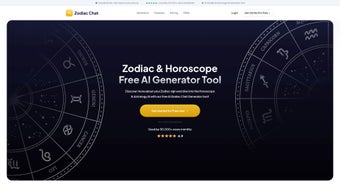
Zodiac Chat is a cutting‑edge web application that merges traditional astrology with modern artificial‑intelligence technology. Designed for anyone who has ever glanced at a daily horoscope, the platform offers a depth of insight that goes far beyond generic sun‑sign predictions. By simply entering your birth date, time, and location—or by typing a specific question about love, career, or personal growth—Zodiac Chat generates a personalized astrological chart that reflects the current planetary positions and their nuanced influence on your life.
The AI engine interprets a massive database of classical astrological texts, modern research, and real‑time ephemeris data to produce readings that feel both authentic and uniquely tailored. While the core features are available at no cost, the service also provides premium subscription plans that unlock detailed reports, multi‑language support, and advanced customization options such as the ability to focus on specific planetary aspects or house placements. Whether you are a curious beginner or a seasoned astrologer, Zodiac Chat offers an intuitive, secure, and constantly updated environment for exploring the stars.
Key Features of Zodiac Chat
- AI‑Generated Personalized Horoscopes – Instant readings based on exact birth data.
- Live Planetary Tracking – Real‑time updates of planetary positions and retrogrades.
- Multi‑Domain Insights – Love, career, health, finance, and personal development sections.
- Custom Query Engine – Ask specific questions (e.g., “Will I get a promotion this year?”) and receive focused analysis.
- Comprehensive Birth Chart Builder – Visual wheel with houses, aspects, and transits.
- Premium Deep‑Dive Reports – Detailed compatibility, progressions, and predictive cycles.
- Multi‑Language Support – English, Spanish, French, German, and Mandarin options.
- Secure Cloud Storage – Save and retrieve your astrological profiles safely.
- Cross‑Platform Accessibility – Works on any modern browser, with mobile‑optimized UI.
- Regular Content Updates – Weekly astrological forecasts and seasonal guides.
Each feature is built around the principle of delivering an experience that feels personal yet scientifically grounded. The AI engine continuously learns from user feedback, ensuring that the interpretations become more precise over time. For example, the “Custom Query Engine” leverages natural language processing to understand the nuance of your question and match it with relevant astrological factors, such as Venus retrograde for love inquiries or Mercury’s position for communication concerns. The premium reports dive into lesser‑known techniques like solar returns, lunar phases, and harmonic charts, providing a level of depth that typically requires a professional astrologer’s time and expertise. Because the service runs entirely in the browser, you never need to download bulky software, and all data is encrypted with SSL/TLS, guaranteeing privacy and security.
Installation & Usage Instructions
Zodiac Chat is a web‑based application, which means there is no traditional installation process. To get started, simply open your preferred browser—Chrome, Firefox, Safari, or Edge—on any device and navigate to zodiac-chat.com. The site automatically detects your operating system and loads the optimized version for your device. Follow these steps for a smooth experience:
- Create a Free Account: Click “Sign Up,” provide an email address, and set a password. A verification link will be sent to confirm your account.
- Enter Your Birth Details: On the dashboard, locate the “Create My Chart” button. Input your date, exact time, and place of birth. If you don’t know the exact time, the system offers a “Solar Chart” alternative that still yields useful insights.
- Choose a Query or Browse Sections: Use the navigation bar to select “Daily Horoscope,” “Love Insight,” “Career Forecast,” or type a custom question in the search box.
- Read Your AI‑Generated Report: The results appear instantly, formatted with clear headings, charts, and a concise summary. You can expand any section for a more detailed explanation.
- Save & Share: Click “Save to My Library” to store the report in your secure cloud profile. Use the “Share” button to send a private link to friends or family.
- Upgrade if Desired: For deeper analysis, click “Upgrade to Premium” and select a monthly or annual plan. Premium users receive PDF downloads, multi‑language options, and extended predictive timelines.
Compatibility: Zodiac Chat runs flawlessly on Windows 10/11, macOS Catalina and later, Linux distributions with modern browsers, as well as Android 8.0+ and iOS 13+. Because it is cloud‑based, there are no hardware constraints beyond a stable internet connection.
The responsive design ensures that the interface adapts to screens ranging from 5‑inch smartphones to 27‑inch monitors. Updates to the AI model and astrological database happen automatically on the server side, so users always benefit from the latest improvements without manual downloads or patches. If you encounter any issues, the built‑in “Help Center” provides step‑by‑step tutorials, and live chat support is available 24/7 for premium members.
Pros, Cons, and Frequently Asked Questions
Pros
- Highly personalized readings based on exact birth data.
- AI engine provides fast, accurate interpretations.
- Free tier offers substantial functionality.
- Secure cloud storage protects user privacy.
- Cross‑platform, no installation required.
- Regular updates keep content fresh and relevant.
Cons
- Premium subscription required for the most detailed reports.
- Internet connection needed for all features.
- Learning curve for users unfamiliar with astrological terminology.
FAQ
Is Zodiac Chat free to use?
Yes, the core features—including daily horoscopes, basic birth chart generation, and limited AI queries—are completely free. Premium plans unlock advanced reports, multi‑language support, and deeper predictive tools.
How secure is my personal data?
Zodiac Chat uses SSL/TLS encryption for all data transmission and stores user profiles in encrypted cloud databases. No personal data is sold to third parties, and you can delete your account at any time.
Can I use Zodiac Chat on my mobile device?
Absolutely. The platform is fully responsive and works on Android 8.0+ and iOS 13+ browsers. All features, including premium reports, are accessible from smartphones and tablets.
Do I need to know my exact birth time?
While an exact birth time yields the most accurate chart, Zodiac Chat offers a “Solar Chart” option that generates useful insights based on your sun sign alone. Premium users can also request a “Rectified Chart” service for time estimation.
How often are the astrological databases updated?
The underlying ephemeris data is refreshed daily to reflect the latest planetary positions. Interpretative content and AI models are updated on a weekly basis, ensuring you always receive current and relevant guidance.
Review Summary: Zodiac Chat combines the mystique of astrology with the precision of AI, delivering a user‑friendly yet powerful tool. The free tier is generous, and the premium upgrade is reasonably priced for the depth it provides. Minor drawbacks include the need for an internet connection and a slight learning curve for beginners, but overall the experience is smooth, secure, and highly insightful.
Conclusion & Call to Action
In a market flooded with generic horoscope apps, Zodiac Chat stands out by offering AI‑driven personalization that feels genuinely bespoke. Whether you’re looking for a quick daily tip or a comprehensive life‑path analysis, the platform adapts to your needs and grows with you. The free version is robust enough for casual users, while the premium subscription unlocks a treasure trove of advanced charts and multilingual options for serious astrology enthusiasts. Because it runs entirely in the browser, you can access your readings from any device without worrying about outdated software or security vulnerabilities.
Ready to explore the cosmos with a modern twist? Sign up for free today, generate your first birth chart, and discover how the stars can illuminate your path. Upgrade anytime to enjoy deeper insights, exclusive reports, and a truly personalized astrological journey.



.png)



